
Reply suggestions
Choose a character and a positive, negative or neutral stance. Review three replies before choosing your own.
AI communication · iOS app + keyboard
A thoughtful reply. A different tone. A little less lost in translation. TalkCos helps you express yourself in Chinese and Korean, right where you type.
Free download · Optional subscriptions and usage limits

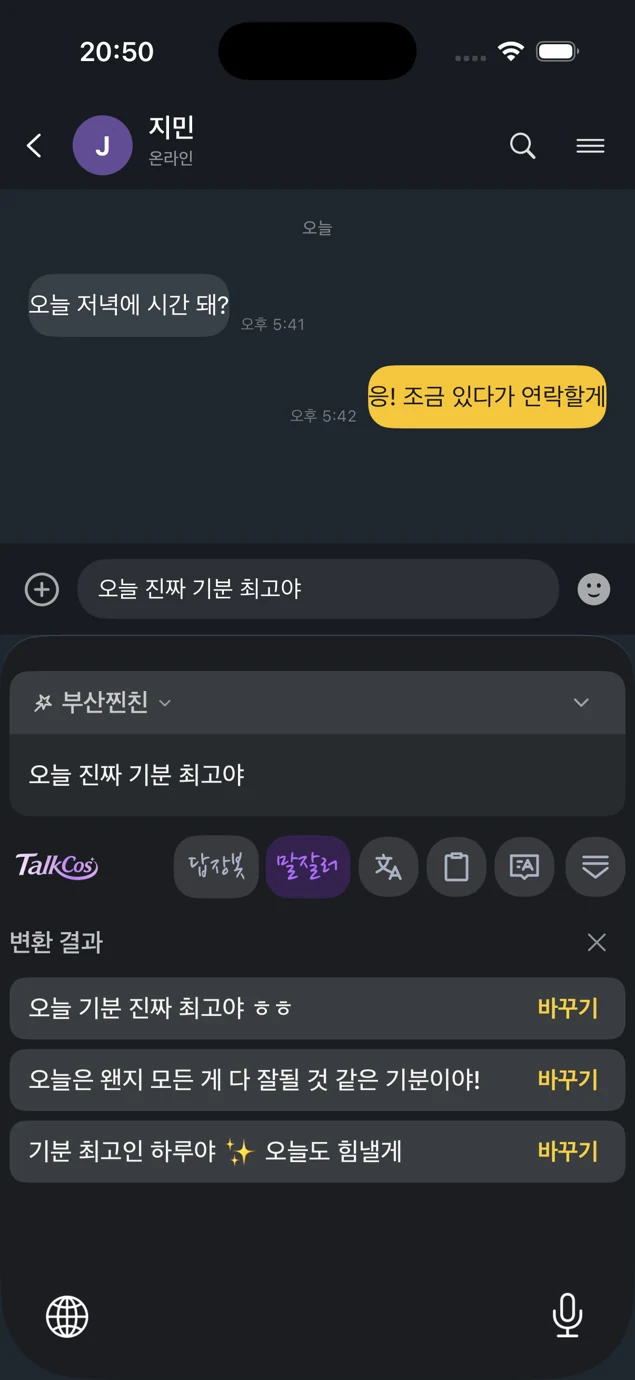
TalkCos keyboard · Korean interface
TalkCos
Choose a character and a positive, negative or neutral stance. Review three replies before choosing your own.
Keep the message. Change the delivery—from warm and playful to direct and professional.
Move between Chinese and Korean and other supported languages, without leaving your typing flow.

Turn text into a character voice, preview it in the app, then choose how to use it.
A reply is still your choice
Choose a stance and compare different ways to reply. This is a fixed illustration of the interaction, not a live model response.
Want to grab coffee after work?
Inside TalkCos
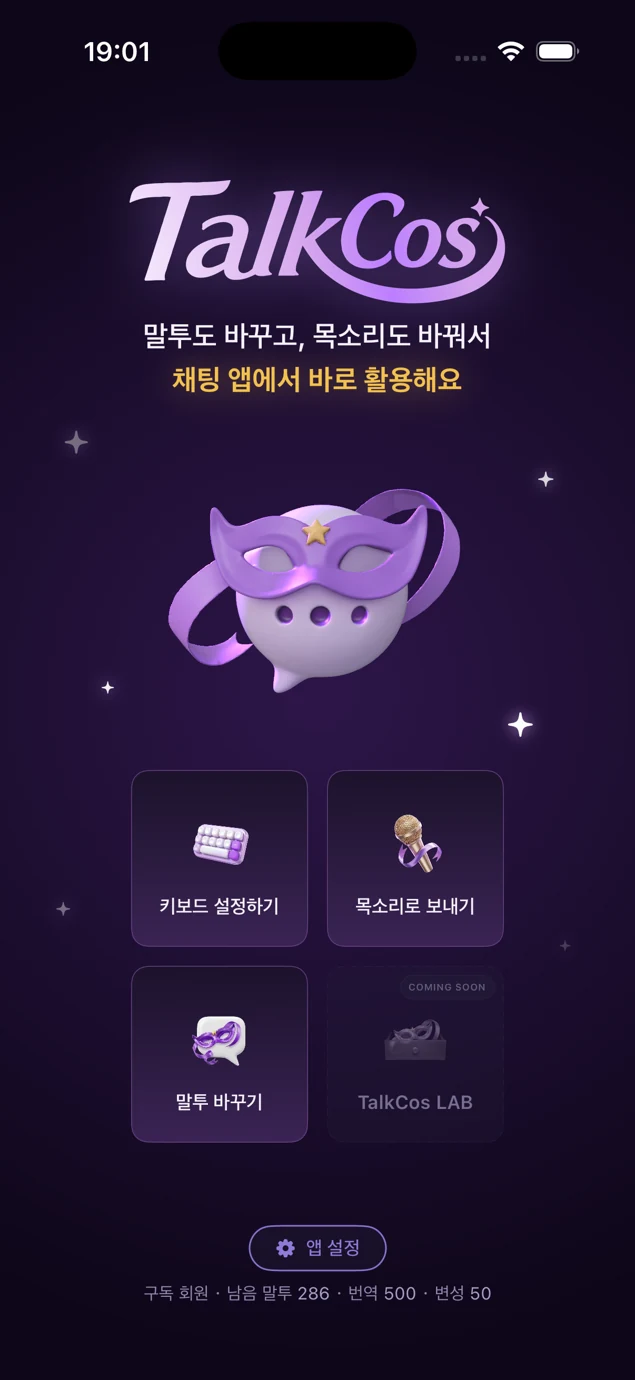
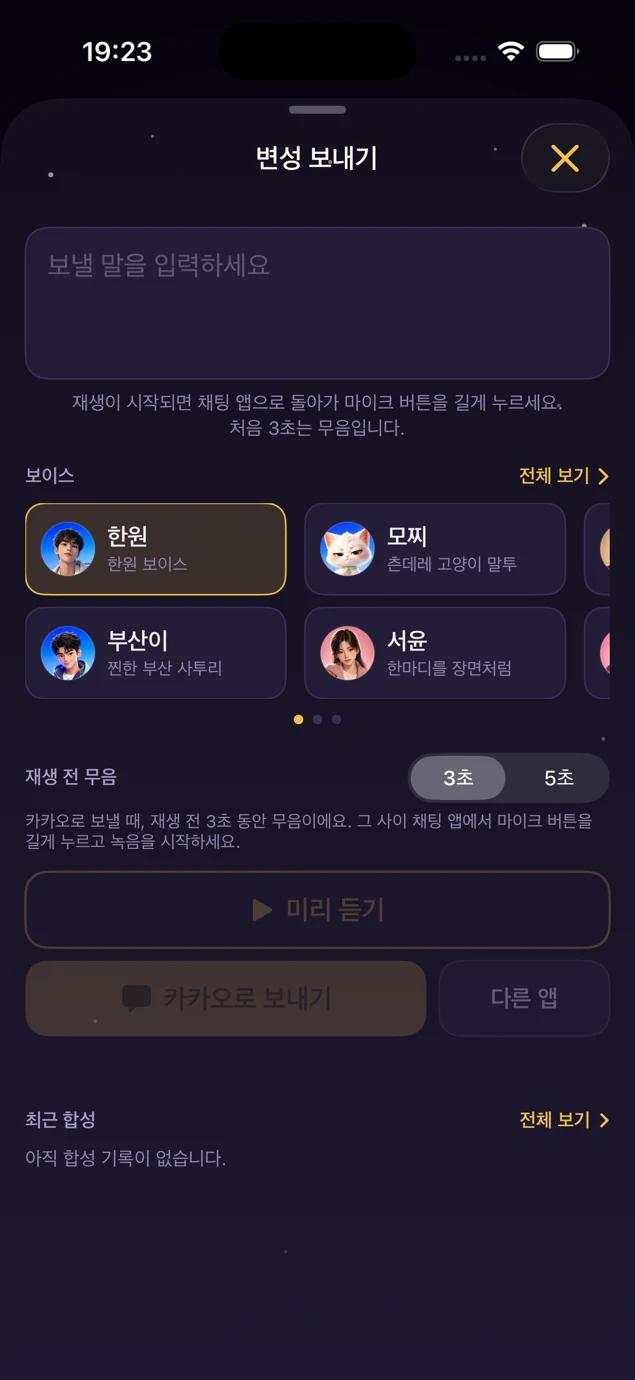
Product screenshots captured in August 2026. Features, labels and availability may vary by app version and language.
Sign in to TalkCos and follow the in-app keyboard setup. Allow Full Access to use cloud-powered keyboard features.
Write your message or paste the message you want to answer. Choose a character, tone or translation language.
Select the result that fits. You decide what to insert, play or send.
About voice sharing: TalkCos previews synthesized audio. The documented chat-app workflow plays it through the speaker for recording in the chat app; it does not directly insert audio into another app.
Built for personal conversations
Review AI suggestions before using them. Generated text can be inaccurate or miss context.
Cloud features need internet access. The keyboard setup explains Full Access; see our privacy policy for data handling.
App interface language and keyboard content language are separate settings, so you can choose the experience that suits you.
About the team
We build tools for the moments between knowing what you mean and finding the right words. Our focus is an iOS keyboard and companion app for Chinese and Korean communication.
Meet the product & our development plansUse the App Store link on this page. The listing shows current device requirements, availability and purchase options.
The app is free to download. Some features and higher usage allowances require an optional subscription. Check the app and App Store for current details.
This page describes text translation in the keyboard. Live audio captions are not part of the product offering described here.
No. TalkCos offers suggestions for you to review. You choose which result to use, or write your own response.
Product questions, feedback or partnership enquiries? Write to the TalkCos team.
TalkCos · Taiwan